
Getting started with Kubernetes might seem like a daunting task at first, but getting a basic ephemeral cluster up and running with tools like minikube, kind, or k3d is quite straightforward if you follow their documentation.
In this article we’ll explore how to bootstrap a more permanent, or production grade, Kubernetes cluster using k3s. Other tools like kubeadm, k0s, microk8s, or kubespray (which uses kubeadm under the hood) are also available.


kaniko is a tool to build container images from a Dockerfile, inside a container or Kubernetes cluster.
Important
This is a supported replacement of the original GoogleContainerTools/kaniko repository, which was archived in June of 2025. Further details in History and Status.
kaniko doesn't depend on a Docker daemon and executes each command within a Dockerfile completely in userspace. This enables building container images in environments that can't easily or securely run a Docker daemon, such as a standard Kubernetes cluster.
kaniko is meant to be run as an image. We do not recommend running the kaniko executor binary in another image, as it might not work as you expect - see Known Issues.
k3s ist eine schlanke Variante zum vollen Kubernetes (k8s) Stack. Der k3s Cluster lässt sich daher mit wenigen Schritten installieren und einrichten. Dieses Tutorial beschreibt dir wie du den k3s Cluster installieren kannst.
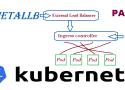
Running a Kubernetes Cluster in your own data center on Bare Metal hardware can be lots of fun but also can be challenging. One of the changeless are exposing your service to an external Load Balancer, Kubernetes does not offer an implementation of an external load-balancer for bare metal cluster implementations. The Kubernetes implementations of Network Load Balancers are only available on specific Cloud Providers like AWS, GCP, Azure, etc.. and is enabled by specifying the –cloud-provider= option. leaving a gap/challenge if you create your own Bare Metal Kubernetes Cluster. While their are many workarounds to address this issue most of them are not perfect and have their own list of challenges. while I was looking for a for a solution, most recently came across a project called MetalLB, at first I was quite sceptical if its going to work, but after testing this for a while I have to say, I am quite happy with the solution.
In this post we’ll look at how ingress works in a K3s cluster. For background, I recommend reading the Networking Section of the K3s documentation.
Ingress Overview
K3s automatically deploys the Traefik Ingress Controller and provides a service load balancer called Klipper.
The Concepts section helps you learn about the parts of the Kubernetes system and the abstractions Kubernetes uses to represent your cluster, and helps you obtain a deeper understanding of how Kubernetes works.
Welcome
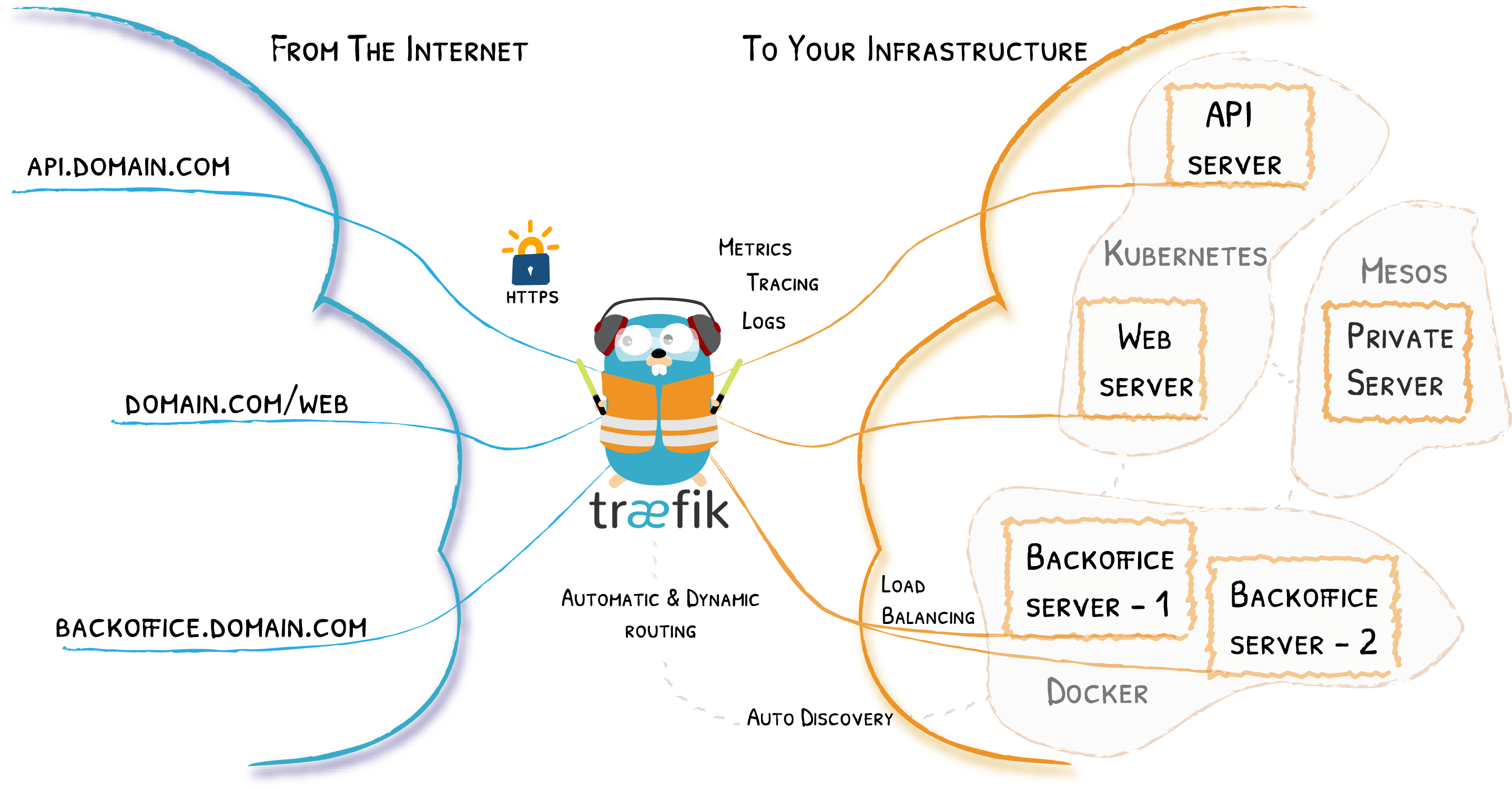
Traefik is an open-source Edge Router that makes publishing your services a fun and easy experience. It receives requests on behalf of your system and finds out which components are responsible for handling them.
What sets Traefik apart, besides its many features, is that it automatically discovers the right configuration for your services. The magic happens when Traefik inspects your infrastructure, where it finds relevant information and discovers which service serves which request.
Traefik is natively compliant with every major cluster technology, such as Kubernetes, Docker, Docker Swarm, AWS, Mesos, Marathon, and the list goes on; and can handle many at the same time. (It even works for legacy software running on bare metal.)
With Traefik, there is no need to maintain and synchronize a separate configuration file: everything happens automatically, in real time (no restarts, no connection interruptions). With Traefik, you spend time developing and deploying new features to your system, not on configuring and maintaining its working state.
Developing Traefik, our main goal is to make it simple to use, and we're sure you'll enjoy it.

Lightweight Kubernetes. Easy to install, half the memory, all in a binary of less than 100 MB.
Great for:
- Edge
- IoT
- CI
- Development
- ARM
- Embedding K8s
- Situations where a PhD in K8s clusterology is infeasible
Flux is a tool that automatically ensures that the state of a cluster matches the config in git. It uses an operator in the cluster to trigger deployments inside Kubernetes, which means you don't need a separate CD tool. It monitors all relevant image repositories, detects new images, triggers deployments and updates the desired running configuration based on that (and a configurable policy).
The benefits are: you don't need to grant your CI access to the cluster, every change is atomic and transactional, git has your audit log. Each transaction either fails or succeeds cleanly. You're entirely code centric and don't need new infrastructure.

Heute läuft der Server mit Ubuntu 20.04. Darauf laufen keine LXC/LXD Container mehr. Stattdessen läuft jetzt Kubernetes darauf. Zu Beginn nutzte ich für die Installation von Kubernetes Kubespray ein, das Standard-Kubernetes war allerdings deutlich zu fett. Größtes Manko war, dass das etcd verdammt viel auf die SSD geschrieben hat und ich regelmäßig bei jedem Upgrade das Setup kaputt gespielt habe. Für den Privatgebrauch ergab das so daher keinen Sinn.
Mittlerweile setze ich auf das vergleichsweise schlanke k3s.io. Das braucht im Heimbetrieb deutlich weniger Leistung und erledigt trotzdem das, was ich brauche. Statt etcd setzt es auf sqlite und statt Docker auf containerd.
The certified Kubernetes distribution built for IoT & Edge computing