metal-stack® is a set of microservices implementing Metal as a Service (MaaS), turning a bunch of hardware into elastic cloud infrastructure. It is built to manage the lifecycles for hundreds and thousands of servers inside your on-premise data center.


k3s ist eine schlanke Variante zum vollen Kubernetes (k8s) Stack. Der k3s Cluster lässt sich daher mit wenigen Schritten installieren und einrichten. Dieses Tutorial beschreibt dir wie du den k3s Cluster installieren kannst.
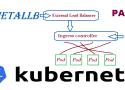
Running a Kubernetes Cluster in your own data center on Bare Metal hardware can be lots of fun but also can be challenging. One of the changeless are exposing your service to an external Load Balancer, Kubernetes does not offer an implementation of an external load-balancer for bare metal cluster implementations. The Kubernetes implementations of Network Load Balancers are only available on specific Cloud Providers like AWS, GCP, Azure, etc.. and is enabled by specifying the –cloud-provider= option. leaving a gap/challenge if you create your own Bare Metal Kubernetes Cluster. While their are many workarounds to address this issue most of them are not perfect and have their own list of challenges. while I was looking for a for a solution, most recently came across a project called MetalLB, at first I was quite sceptical if its going to work, but after testing this for a while I have to say, I am quite happy with the solution.
Foreman is a complete lifecycle management tool for physical and virtual servers. We give system administrators the power to easily automate repetitive tasks, quickly deploy applications, and proactively manage servers, on-premise or in the cloud.
Provision from anywhere
Bare metal, Amazon EC2, Google Compute Engine, OpenStack, Libvirt, oVirt, VMware, and many other providers allow you to manage a hybrid cloud through Foreman
Configuration
An external node classifier, hiera-like parameters, and reports monitoring for Puppet, Salt and Chef are included. Completely ready to tweak host groups in your data center.
Enables you to back up and restore your operating system, volumes, files, folders, and applications from a command prompt.
To configure a regularly scheduled backup, you must be a member of the Administrators group. To perform all other tasks with this command, you must be a member of the Backup Operators or the Administrators group, or you must have been delegated the appropriate permissions.