
Membrane provides all the tools you need to build a user interface. While all the pieces are built to work together, each piece is optional or can be mixed and matched with other implementations. For example, you could use your favorite UI framework and the other layers to reach another platform. Alternatively, you could provide your own ncurses graphics backend and leverage the ui framework and graphics model.
The three main pieces are:
- A UI framework, membrane.component, that provides state management for GUIs
- A platform agnostic model for graphics and events
- Multiple graphics backends that provide concrete implementations for #2
For membrane to run on a platform, the only requirements are:
- Drawing implementations for graphical primitives like shapes, text, and images
- An event loop that forwards events (eg. mouse clicks, key presses) to membrane and repaints


udev (user space /dev) is a user space system that enables the operating system administrator to register user space handlers for events. The events received by udev's daemon are mainly generated by the Linux kernel in response to physical events relating to peripheral devices. As such, udev's main purpose is to act upon peripheral detection and hot-plugging, including actions that return control to the kernel, e.g. loading kernel modules or device firmware. Another component of this detection is adjusting the permissions of the device to be accessible to non-root users and groups.
As the successor of devfsd and hotplug, udev also manages device nodes in the /dev directory by adding, symlinking and renaming them. udev replaces the functionality of both hotplug and hwdetect.
udev handles separate events concurrently (in parallel), leading to a potential performance improvement over older systems.
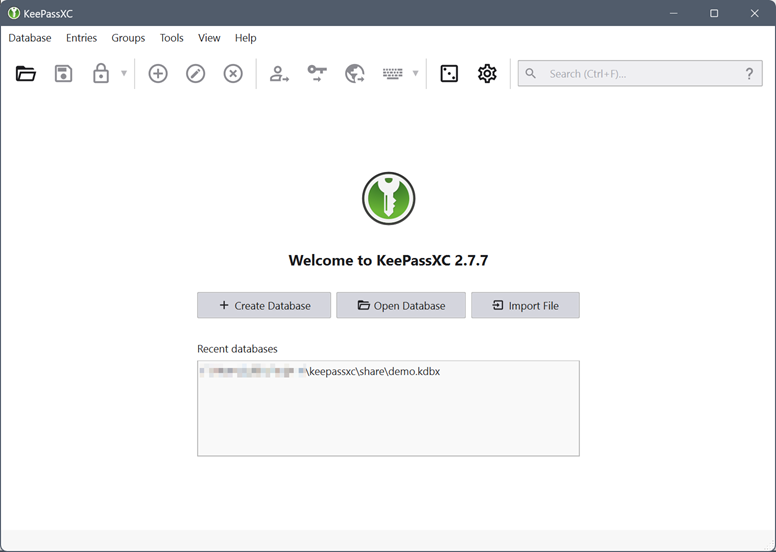
Let KeePassXC safely store your passwords and auto-fill them into your favorite apps, so you can forget all about them.
We do the heavy lifting in a no-nonsense, ad-free, tracker-free, and cloud-free manner. Free and open source.

The Settings editor is the UI that lets you review and modify setting values that are stored in a settings.json file. You can review and edit this file directly by opening it in the editor with the Preferences: Open Settings (JSON) command. Settings are written as JSON by specifying the setting ID and value.

PuTTY is a free (MIT-licensed) Windows Telnet and SSH client. This manual documents PuTTY, and its companion utilities PSCP, PSFTP, Plink, Pageant and PuTTYgen.
Note to Unix users: this manual currently primarily documents the Windows versions of the PuTTY utilities. Some options are therefore mentioned that are absent from the Unix version; the Unix version has features not described here; and the pterm and command-line puttygen and pageant utilities are not described at all. The only Unix-specific documentation that currently exists is the man pages.
This manual is copyright 1997-2022 Simon Tatham. All rights reserved. You may distribute this documentation under the MIT licence. See appendix D for the licence text in full.

management user interface
- Manual section: 1
- Manual group: Virtualization Support

Open Source Identity and Access Management
Add authentication to applications and secure services with minimum effort.
No need to deal with storing users or authenticating users.
Keycloak provides user federation, strong authentication, user management, fine-grained authorization, and more.
Small, fast, modern HTTP server.
Cowboy is the ultimate server for the modern Web with support for Websocket, HTTP/2 and REST.
Welcome to the Python Packaging User Guide, a collection of tutorials and references to help you distribute and install Python packages with modern tools.
This guide is maintained on GitHub by the Python Packaging Authority. We happily accept any contributions and feedback. 😊
From trey@sage.org Fri Nov 29 18:00:49 2002
Date: Sun, 24 Nov 2002 21:03:02 -0500 (EST)
From: Trey Harris trey@sage.org
To: sage-members@sage.org
Subject: The case of the 500-mile email (was RE: [SAGE] Favorite impossible
task?)
Here's a problem that *sounded* impossible...  I almost regret posting the
story to a wide audience, because it makes a great tale over drinks at a
conference. :-)  The story is slightly altered in order to protect the
guilty, elide over irrelevant and boringThis document contains all the information you need to configure and use the i3 window manager. If it does not, please check https://www.reddit.com/r/i3wm/ first, then contact us on IRC (preferred) or post your question(s) on the mailing list.
This topic describes how to use Windows Server to deploy Roaming User Profiles to Windows client computers. Roaming User Profiles redirects user profiles to a file share so that users receive the same operating system and application settings on multiple computers.