Dunst is a lightweight replacement for the notification daemons provided by most desktop environments. It's very customizable, isn't dependent on any toolkits, and therefore fits into those window manager centric setups we all love to customize to perfection.

Quickshell is a toolkit for building a desktop shell, which is to say components of your desktop like bars, widgets, lock screens, display managers, and the like.
Quickshell is based on QtQuick and configured with QML, the QtQuick interface description language. It provides integrations for common shell functionality, as well as support for hot reloading and tools to work with processes, sockets, files, and more.
Built-in integrations are currently provided for:
-
Wayland and X11 for windowing
-
Wayland for window management and screen recording
-
Workspace management in Hyprland, I3, and Sway
-
Pipewire for audio controls
-
BlueZ for bluetooth
-
Pam for authentication and building lockscreens
-
Greetd for building a display manager
-
UPower for monitoring battery statistics
-
Power Profiles Daemon
-
MPRIS compatible media players
-
StatusNotifierItem compatible system tray clients
-
Quickshell](https://quickshell.org/)


Highly customizable Wayland bar for Sway and Wlroots based compositors. ✌️ 🎉
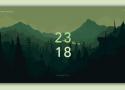
A clean, modern, and minimal SDDM theme inspired by Google Pixel UI and Material Design 3. Supports both the latest Qt6 engine and legacy Qt5 systems.
Rofi started as a clone of simpleswitcher, written by Sean Pringle - a popup window switcher roughly based on superswitcher. Simpleswitcher laid the foundations, and therefore Sean Pringle deserves most of the credit for this tool. Rofi (renamed, as it lost the simple property) has been extended with extra features, like an application launcher and ssh-launcher, and can act as a drop-in dmenu replacement, making it a very versatile tool. Thanks to the great work of lbonn, who added Wayland support in his fork and maintained it for years, Rofi now officially supports Wayland (since 2025).
Rofi, like dmenu, will provide the user with a textual list of options where one or more can be selected. This can either be running an application, selecting a window, or options provided by an external script.

Modern compositor with the looks
Hyprland provides the latest Wayland features, dynamic tiling, all the eyecandy, powerful plugins and much more, while still being lightweight and responsive



Hello there. Hope you are doing well. Lately, I have been playing with a neat piece of software called EWW. Making some aesthetic UI, widgets and whatnot.
Note that, this has a very steep learning curve. This is because tutorials, demo and examples about this are quite scarce. And the examples are either too complex or, very poorly documented and not to mention most of them are not even documented.
Sway is a tiling Wayland compositor and a drop-in replacement for the i3 window manager for X11. It works with your existing i3 configuration and supports most of i3's features, plus a few extras.
Sway allows you to arrange your application windows logically, rather than spatially. Windows are arranged into a grid by default which maximizes the efficiency of your screen and can be quickly manipulated using only the keyboard.
Sway is documented via manpages. For a list of available manpages, refer to man -k sway.
We also maintain the wlroots project to provide a modular basis for Sway and other Wayland compositors to build upon, and we publish standards for interoperable Wayland desktops.

Wayland is the next-generation display server for Unix-like systems, designed and built by the alumni of the venerable Xorg server, and is the best way to get your application windows onto your user's screens. Readers who have worked with X11 in the past will be pleasantly surprised by Wayland's improvements, and those who are new to graphics on Unix will find it a flexible and powerful system for building graphical applications and desktops.
This book will help you establish a firm understanding of the concepts, design, and implementation of Wayland, and equip you with the tools to build your own Wayland client and server applications. Over the course of your reading, we'll build a mental model of Wayland and establish the rationale that went into its design. Within these pages you should find many "aha!" moments as the intuitive design choices of Wayland become clear, which should help to keep the pages turning. Welcome to the future of open source graphics!
Notice: this is a draft. Chapters 1-10 are more or less complete, but may be updated later. Chapters 11 forward in large part remain to be written.
TODO
- Expand on resource lifetimes and avoiding race conditions in chapter 2.4
- Move linux-dmabuf details to the appendix, add note about wl_drm & mesa
- Rewrite the introduction text
- Add example code for interactive move, to demonstrate the use of serials
- Use — instead of - where appropriate
- Prepare PDFs and EPUBs