Daily Shaarli
April 3, 2023
k3s ist eine schlanke Variante zum vollen Kubernetes (k8s) Stack. Der k3s Cluster lässt sich daher mit wenigen Schritten installieren und einrichten. Dieses Tutorial beschreibt dir wie du den k3s Cluster installieren kannst.
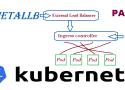
Running a Kubernetes Cluster in your own data center on Bare Metal hardware can be lots of fun but also can be challenging. One of the changeless are exposing your service to an external Load Balancer, Kubernetes does not offer an implementation of an external load-balancer for bare metal cluster implementations. The Kubernetes implementations of Network Load Balancers are only available on specific Cloud Providers like AWS, GCP, Azure, etc.. and is enabled by specifying the –cloud-provider= option. leaving a gap/challenge if you create your own Bare Metal Kubernetes Cluster. While their are many workarounds to address this issue most of them are not perfect and have their own list of challenges. while I was looking for a for a solution, most recently came across a project called MetalLB, at first I was quite sceptical if its going to work, but after testing this for a while I have to say, I am quite happy with the solution.
In this post we’ll look at how ingress works in a K3s cluster. For background, I recommend reading the Networking Section of the K3s documentation.
Ingress Overview
K3s automatically deploys the Traefik Ingress Controller and provides a service load balancer called Klipper.
The Gateway API project is the successor to the Ingress API. However, it does not include the Ingress resource (the closest parallel is the HTTPRoute). As a result, a one-time conversion from your existing Ingress resources to the relevant Gateway API resources is necessary.
This guide will help you with the conversion. It will:
- Explain why you may want to switch to the Gateway API.
- Describe the key differences between the Ingress API and the Gateway API.
- Map Ingress features to Gateway API features.
- Show an example of an Ingress resource converted to Gateway API resources.
- Mention ingress2gateway for automatic conversion.
At the same time, it will not prepare you for a live migration or explain how to convert some implementation-specific features of your Ingress controller. Additionally, since the Ingress API only covers HTTP/HTTPS traffic, this guide does not cover the Gateway API support for other protocols.