


Vanilla OS is not your regular Linux distribution, we define it as a Linux based operating system due to the new paradigms it introduces and the different standards it follows. This page explains what Vanilla OS is and how it is different from other Linux distributions.

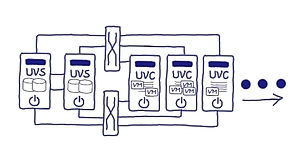
In heutigen Rechenzentren kommt eine Vielzahl von Virtualisierungskonzepten zum Einsatz. OSL führt alle drei Dimensionen der Virtualisierung – Speicher, Netzwerk und Server - in einer durchgängigen Technologie als HCI zusammen. Kern ist die von OSL entwickelte integrierte Speichervirtualisierungs- und Clusterengine, die plattformabstrakt konzipiert und umgesetzt worden ist. Sie erhalten eine wirklich einfach zu handhabende und dennoch herausragend komplette Infrastruktur für den Non-Stop-Betrieb Ihrer VM-Infrastruktur: Dynamisch, virtualisiert und auf offenen Systemen. Dank des softwarezentrierten Designs ist der Einsatz kostengünstig und zukunftssicher auf Hardware ihrer Wahl möglich.

Flatcar Container Linux is a container optimized OS that ships a minimal OS image, which includes only the tools needed to run containers. The OS is shipped through an immutable filesystem and includes automatic atomic updates.


Previously named OpenTF, OpenTofu is a fork of Terraform that is open-source, community-driven, and managed by the Linux Foundation.

BorgBackup (short: Borg) is a deduplicating backup program. Optionally, it supports compression and authenticated encryption.
The main goal of Borg is to provide an efficient and secure way to backup data. The data deduplication technique used makes Borg suitable for daily backups since only changes are stored. The authenticated encryption technique makes it suitable for backups to not fully trusted targets.
See the installation manual or, if you have already downloaded Borg, docs/installation.rst to get started with Borg. There is also an offline documentation available, in multiple formats.
This document is a guide for installing Arch Linux using the live system booted from an installation medium made from an official installation image. The installation medium provides accessibility features which are described on the page Install Arch Linux with accessibility options. For alternative means of installation, see Category:Installation process.
Before installing, it would be advised to view the FAQ. For conventions used in this document, see Help:Reading. In particular, code examples may contain placeholders (formatted in italics) that must be replaced manually.
This guide is kept concise and you are advised to follow the instructions in the presented order per section. For more detailed instructions, see the respective ArchWiki articles or the various programs' man pages, both linked from this guide. For interactive help, the IRC channel and the forums are also available.
Arch Linux should run on any x86_64-compatible machine with a minimum of 512 MiB RAM, though more memory is needed to boot the live system for installation.[1] A basic installation should take less than 2 GiB of disk space. As the installation process needs to retrieve packages from a remote repository, this guide assumes a working internet connection is available.
Awesome!
This is the default scripted installation you’ll encounter on the official Arch Linux Archinstall package as well as the unofficial ISO found on https://archlinux.life. It will guide your through a very basic installation of Arch Linux.
The installer has two pre-requisites:
    A Physical or Virtual machine to install on
An active internet connection prior to running archinstallFür dieses Tutorial habe ich eine Installation mit Debian 11.1 (Bullseye) verwendet. Auf dem Host existieren die beiden User Alice und Bob, welche für die Nutzung von rootless-Podman vorbereitet werden.
Die Einrichtung von rootless-Podman unter Debian Bullseye
Rootless-Container haben die Eigenschaft, dass sie in User Namespaces (siehe user_namespaces(7) und namespaces(7)) ausgeführt werden. UIDs und GIDs, welche innerhalb des Containers existieren, werden dabei auf UIDs/GIDs des Hosts abgebildet. So besitzt ein Prozess, welcher innerhalb eines Containers mit der UID 0 (root) läuft, außerhalb des Containers bspw. die UID 165537 und damit die Rechte eines normalen Benutzers.
PNG & SVG
Originally posted at https:/opensource.com/article/19/8/introduction-bpftrace.
bpftrace is a new open source tracer for Linux for analyzing production performance problems and troubleshooting software. It is used by and has had contributions from many companies including Netfilx, Facebook, Red Hat, Shopify, and others. It was created by Alastair Robertson, a talented UK-based developer who has previously won various coding competitions.
Linux already has many performance tools, but these are often counter-based and have limited visibility. For example, iostat(1), or a monitoring agent, may tell you your average disk latency, but not the distribution of this latency. Distributions can reveal multiple modes, or outliers, either of which may be the real cause of your performance problems. bpftrace is suited for this kind of analysis: decomposing metrics into distributions or per-event logs, and creating new metrics for visibility into blind spots.
This teaches you bpftrace for Linux in 12 easy lessons, where each lesson is a one-liner you can try running. This series of one-liners introduces concepts which are summarized as bullet points. For a full reference to bpftrace, see the Man page
Contributed by Brendan Gregg, Netflix (2018), based on his FreeBSD DTrace Tutorial.
Firejail is a SUID program that reduces the risk of security breaches by restricting the running environment of untrusted applications using Linux namespaces and seccomp-bpf. It allows a process and all its descendants to have their own private view of the globally shared kernel resources, such as the network stack, process table, mount table.
Written in C with virtually no dependencies, the software runs on any Linux computer with a 3.x kernel version or newer. The sandbox is lightweight, the overhead is low. There are no complicated configuration files to edit, no socket connections open, no daemons running in the background. All security features are implemented directly in Linux kernel and available on any Linux computer. The program is released under GPL v2 license.
Firejail can sandbox any type of processes: servers, graphical applications, and even user login sessions. The software includes security profiles for a large number of Linux programs: Mozilla Firefox, Chromium, VLC, Transmission etc. To start the sandbox, prefix your command with “firejail”:
First, why bother? Well, while bash is the default /bin/sh shell on many rpm-based Linux distributions (so it’s also the default shell on the systems I’m developing with and thus referring to here), it’s often not the case on other Linux distributions like Debian or Alpine, and it’s certainly not the case on non-Linux systems like the various *BSD flavors or illumos based installations.
Remotely was created by Translucency Software with the goal of making IT support tools that adhere to the following ideals:
- IT shops should be able to decide if they want to host their own servers.
- A remote console can be used to solve many problems without ever needing to inconvenience the user with full desktop control.
- Remote support tools should allow technicians to accomplish tasks without an excessive amount of clicking and waiting for pages to load.
I am running some legacy OSes (Windows 10, …) inside libvirt/KVM virtual machines and since I got my new 4K displays (hello Home Office), I was annoyed that I could not full-screen them on the large displays.
So finally I took some time to investigate and quickly (to my surprise) found the solution. As if we were back in the 1990ties, I did not provide the virtual machine with enough video RAM to properly go to the higher resolutions.
Eliminate the barrier between your machines.
What is it?
Barrier is software that mimics the functionality of a KVM switch, which historically would allow you to use a single keyboard and mouse to control multiple computers by physically turning a dial on the box to switch the machine you're controlling at any given moment. Barrier does this in software, allowing you to tell it which machine to control by moving your mouse to the edge of the screen, or by using a keypress to switch focus to a different system.
Barrier was forked from Symless's Synergy 1.9 codebase. Synergy was a commercialized reimplementation of the original CosmoSynergy written by Chris Schoeneman.
At the moment, barrier is not compatible with synergy. Barrier needs to be installed on all machines that will share keyboard and mouse.
What's different?
Whereas Synergy has moved beyond its goals from the 1.x era, Barrier aims to maintain that simplicity. Barrier will let you use your keyboard and mouse from one computer to control one or more other computers. Clipboard sharing is supported. That's it.
ifupdown-ng is a network device manager that is largely compatible with Debian ifupdown, BusyBox ifupdown and Cumulus Networks' ifupdown2.
For more information read the admin guide.